
Manage every cluster
from one place.
Add an existing LXD, MicroCloud or Incus cluster and Orcastra inventories its projects, instances, storage and networks for you.
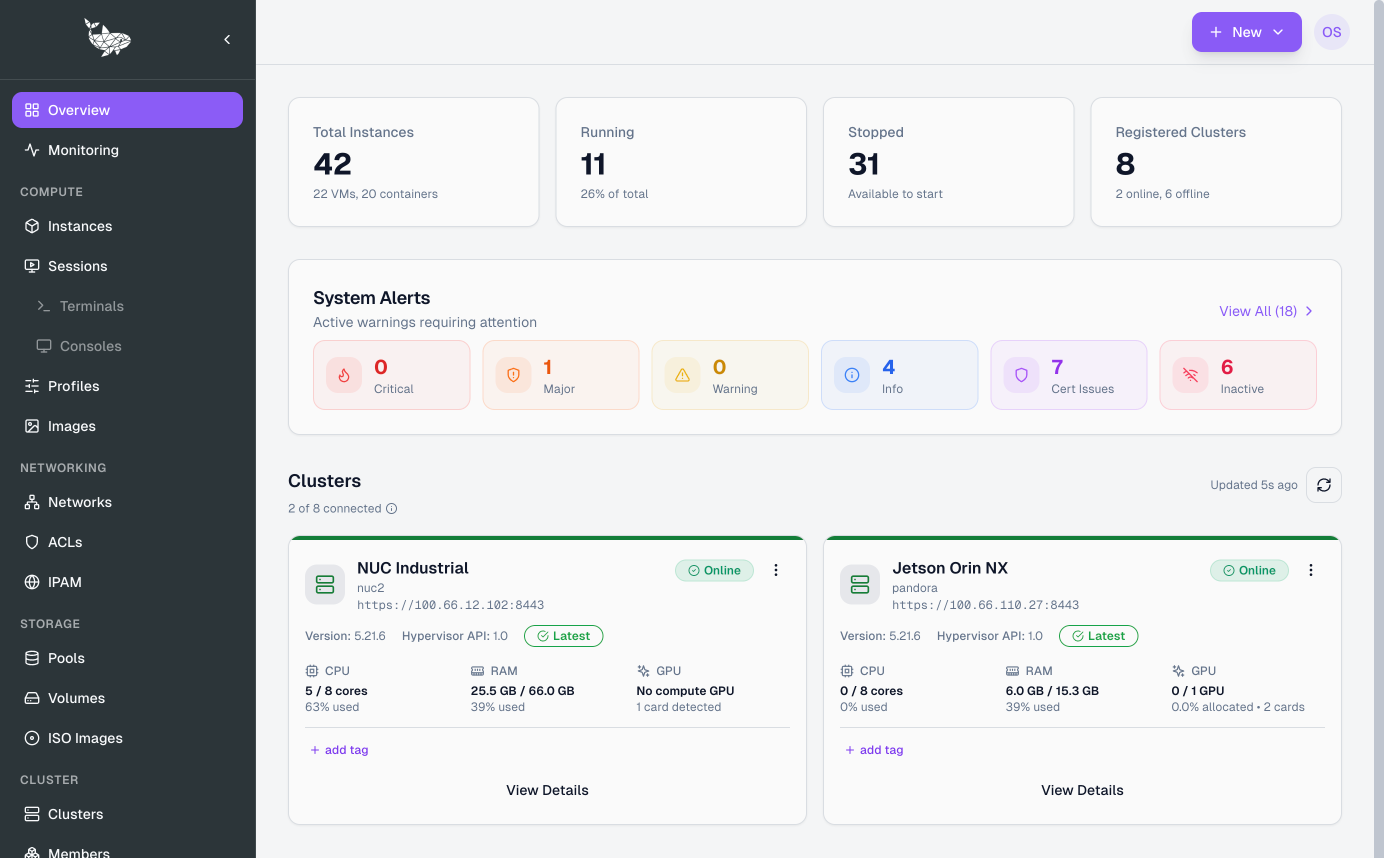
A single inventory across every cluster and region, filtered by project, cluster, status or tag.
A team's project spans clusters. Quotas, networks and images follow the project rather than the machine it happens to live on.
Create, start, stop, restart and delete instances with one workflow, whether the target is a container or a virtual machine.
One REST surface in front of every cluster. Your own applications reach it with a scoped API key, or through an authenticated passthrough to the LXD API.
Roles bind to projects and clusters. An operator in Surabaya never sees the Singapore inventory unless policy says so.
The cluster inventory shown directly at full width, with no device frame around it.
Orcastra is a control plane. Your clusters keep running exactly where they are.
One control plane.
Every cluster you already run.
A macroscopic view of where your infrastructure actually sits.
Every site you run,
and what is left in it.
Registered clusters plotted on a map, with the aggregate compute behind each marker: cores, memory, storage and GPUs, totalled per zone.
Cores, memory, storage and GPU availability summed across every federated zone, so you can size a deployment before you start it.
Each regional card names the data centre or facility it represents, alongside a snapshot of the hardware in it.
Open a region to see CPU socket configuration, specific GPU models and storage backends such as NVMe or ZFS.
The running-to-stopped split for that area, next to the list of nodes operating inside the boundary.
Every node in the expanded view carries a shortcut that pinpoints it on the map.
Assigning a cluster a location means picking from a searchable directory of regions, cities and provinces, not typing free text.